
Overdue invoice, collected without the awkwardness.
Reminders go out on the schedule you set. When someone is late anyway, Luna pulls the history together, writes the collection message and waits for your OK.
14-day trial · No card · Then a free plan
Luna, Finance: “Who's been overdue for more than 15 days?”
3 invoices, R$ 9,760 in total. Acme already got both automatic reminders and hasn't replied. Shall I send their finance team a collection email with the payment link? Send a collection email with payment link to Acme. Sent and logged on Acme's record. I set a follow-up for Thursday in case they don't pay.
Studio Bravo is a demo company. Made-up data.
Collections, before and after
Nobody reminds the client that the invoice is due on Friday.
The reminder goes out on its own on the days before the due date you picked.
The invoice is overdue and only someone looking at the spreadsheet notices.
Every day, unpaid invoices past due turn overdue and the agent is told.
To chase a payment you open the email, the contract and the history in three tabs.
The agent puts amount, days late, the billing contact and what the contract says into one message.
The client pays and someone has to mark it paid by hand.
Paid through the link, the invoice settles itself — and partial payments count too.
How it works
From the due date to money in the bank — four steps, and none of the agent's collection messages go out without your OK.
1 · Before the due date
A reminder you set up once
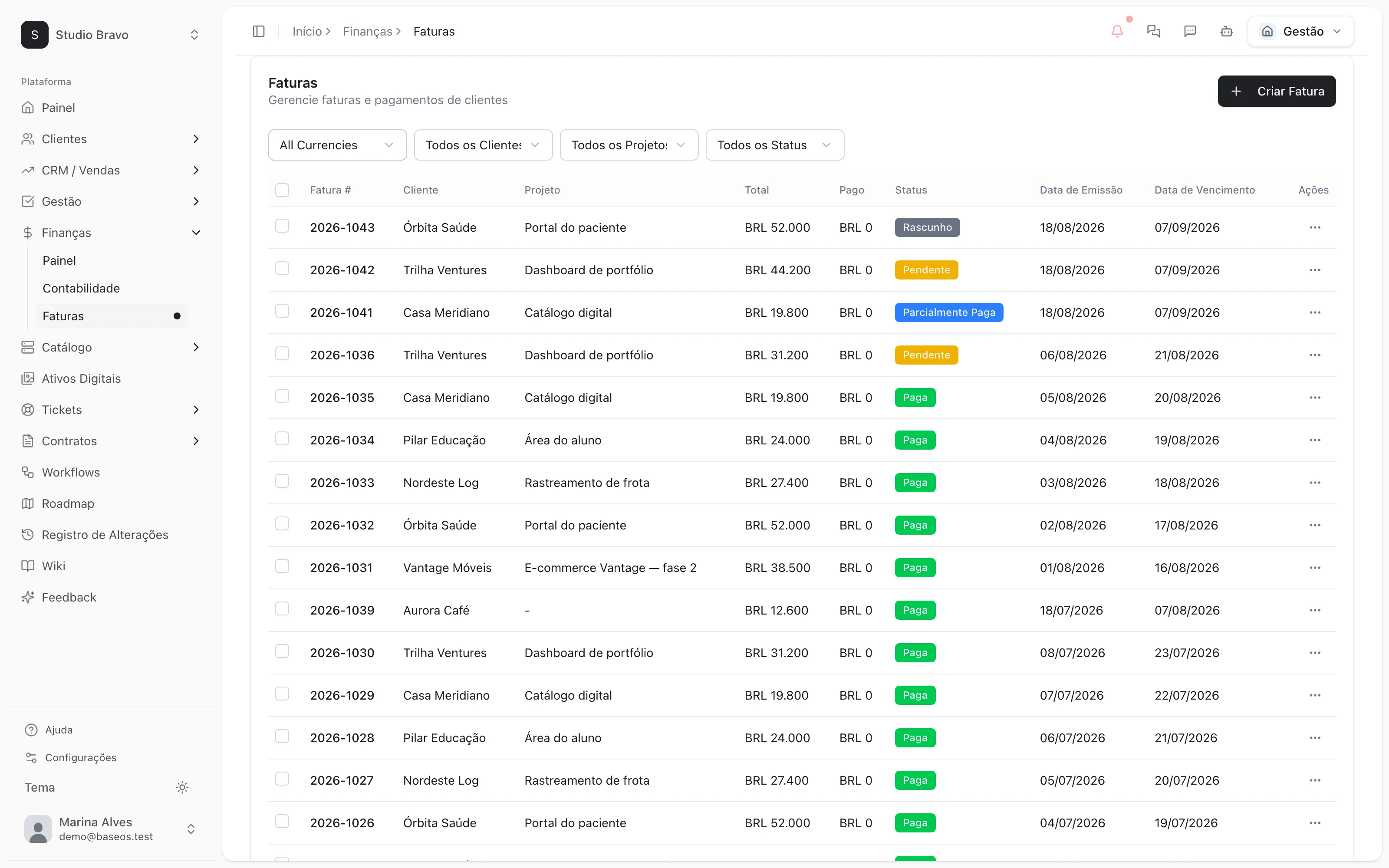
Choose how many days before and after the due date the client gets an email reminder. Every send is logged on the invoice, with its delivery status.
- Days before and after the due date, your choice
- Delivered, opened or bounced, per reminder
- A manual reminder whenever you want
2 · On the due date
Overdue invoices show up on their own
Every morning, in your company's time zone, whatever is past due and unpaid turns overdue. Luna is triggered with the open amount and proposes the next step.
- Status updated daily, no spreadsheet
- Open amount already net of partial payments
- The agent gets notified of the delay
3 · The collection
The agent writes, you approve
Luna reads the client's record, checks the contract and writes the collection message with the payment link. She stops and shows you what she'll send; it only goes out with your OK.
- Billing contact taken from the client's record
- Late fees and terms checked against the contract
- Payment link through your Asaas or Stripe account
4 · The payment
Paid, settled, logged
The client pays by Pix, boleto or card through the link, and the invoice settles itself. Every collection sent is logged in the CRM, with a follow-up scheduled for whoever hasn't paid yet.
- Automatic settlement when the payment arrives
- Partial payments on the same invoice
- Collection history on the client's record
Collections that already know the client
- From contract to reminderThe signed contract issues invoices on schedule, and each one follows the same reminder schedule.
- From late payment to portalIn the portal, the client sees open invoices and pays without asking for a copy on WhatsApp.
- From collection to CRMWhoever manages the account sees on the client's record that they're late before the next conversation.
Modules you can switch on today
Read from the same catalog as the module store: if it's listed here, it's in the product.
- Financefrom R$39/month
- InvoicesIssue invoices, record partial payments and track what is outstanding per client.
- AccountingIncome and expense entries reconciled with your invoices, with a balance per period.
- Contractsfrom R$58/month
- ContractsContracts as data: number, value, term and renewal terms, immutable versions and multi-party e-signature with an evidence certificate.
- Contract-to-cash billingOnce signed and in force, the contract generates its own invoices on schedule — and every invoice knows which contract it came from.
- Renewals & adjustmentsRenewal, IPCA/IGP-M adjustment, amendments and termination change billing and provisioning, with alerts before the notice deadline.
Can the agent chase someone without me seeing it?
No. She finds the invoice, writes the message and stops. Nothing goes out before your OK, and every send is logged. Automatic reminders are a separate thing: they go out on the days you configured.
Do I need an Asaas or Stripe account?
For the payment link, yes — the money lands in your account, not ours. Without one, reminders and email collections still work, and you record the payment by hand.
What if the client pays only part of it?
The partial payment is recorded on the invoice, and the open amount the agent chases already deducts what came in.
Will the message sound aggressive?
You see the text before it's sent and can edit it. The agent cites the amount, the days late and what the contract says — nothing the client hasn't already signed.
Be the owner again.Not the integrator.
Start with the area that hurts most. In 14 days you'll know whether BaseOS stays — no card, and a free plan afterward.
14-day trial · No card · Then the free plan