
The company's email, on every client's record.
Connect your team's Gmail or the company domain, and every email lands where it belongs: the CRM, a ticket or a campaign. Alex reads the replies and writes the next email — you approve before it goes.
14-day trial · No card · Then a free plan
Alex, Sales: “Who replied to the proposal email this week?”
Three replied: Norte accepted, Lumen wants a meeting and Acme asked to split delivery into two phases. I have the reply to Acme ready — shall I send it from your Gmail? Reply to Acme from Marina's Gmail. Sent in the same thread. It's on Acme's record and I set a follow-up for Thursday.
Studio Bravo is a demo company. Made-up data.
The company's email, before and after
The conversation with the client sits in one seller's personal inbox.
Each person's Gmail connects to the CRM, and the conversation lives on the client's record.
A support request arrives by email and gets lost among newsletters.
Email sent to the support address becomes a ticket, with the thread kept in it.
The campaign goes out from one tool and the results live in another.
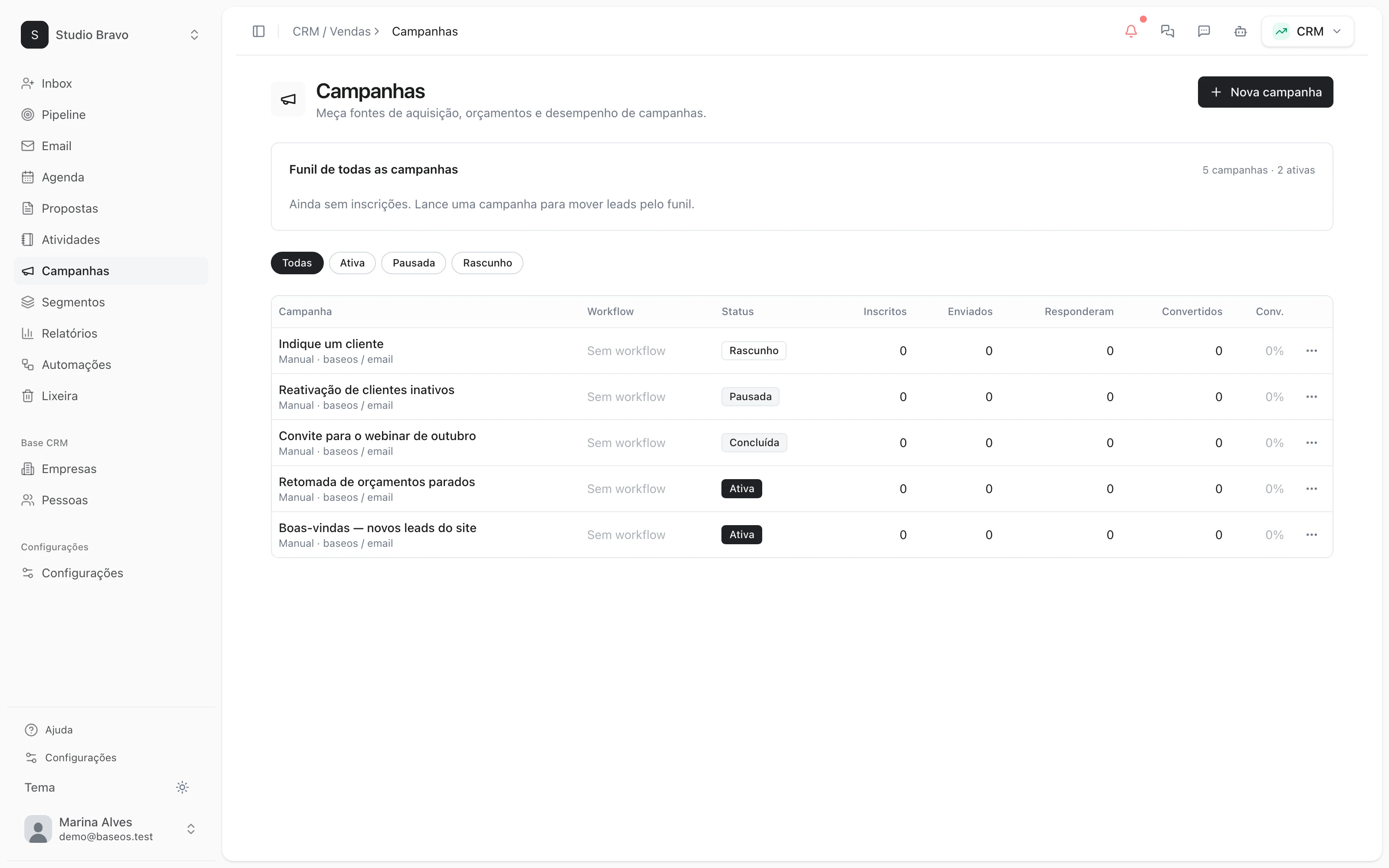
Campaigns and flows go out from the CRM, with opens, clicks and replies in the same place.
Nobody remembers to answer whoever asked for a change to the proposal.
The agent finds the replies, writes the next email and waits for your OK.
An email for every side of the company
Sales, support and marketing use email differently. Each has its place, on the same base.
CRM
Sales email inside the CRM
Read what came in, reply in the same thread and send from the teammate's Gmail or the company domain. Every message stays on the contact's timeline.
- Gmail connected per person
- Sending from your domain via Resend or Emailit
- Reusable email templates
Support
Support email becomes a ticket
What arrives at the support address opens a ticket on its own, with the thread kept. The client's reply comes back to the same ticket.
- Support address or Gmail label as the filter
- Tickets with priority, owner and deadline
- Draft replies the team reviews
Campaigns
Campaigns and flows with results
Set the audience, cadence and trigger in the CRM. Opens, clicks, bounces and replies come back to the contact.
- Flows that react to a new lead or a reply
- An unsubscribe link on every send
- Results funnel per campaign
Newsletter
A newsletter for those who asked
Publish editorial emails to a consented list and manage subscribers in the same CRM as your clients.
- A list with recorded consent
- Subscribers in the CRM, no spreadsheet export
- Lead magnets that capture the contact
Email that already knows who the client is
- From email to ticketA request that arrives by email enters the support queue, and the agent drafts the reply from your knowledge base.
- From newsletter to campaignNewsletter subscribers are CRM contacts, ready for a segment and a flow.
- From email to WhatsAppThe same contact talks by email and by WhatsApp, and the history brings both together.
Modules you can switch on today
Read from the same catalog as the module store: if it's listed here, it's in the product.
- CRM & Salesfrom R$29/month
- PipelineA stage-by-stage sales funnel with forecast value and whatever has been stuck too long.
- LeadsA lead base with source, owner and the full history of every touch.
- CampaignsWhatsApp and email campaigns with an audience, a cadence and a result funnel.
- Ticketsfree plan available
- Support portalA support portal where the client opens and follows their own tickets.
- SLAFirst-response and resolution deadlines, with an alert before they blow.
- Autonomous AI agentThe AI answers customers on its own when the reply rests on verified sources, and hands the ticket to a person when it does not.
- Marketingfrom R$29/month
- Landing pagesLanding pages published in minutes in a visual editor, with no dev in the loop.
- FormsForms that land straight in the CRM as leads, source already tagged.
- NewsletterPublish editorial emails to a consented list and manage subscribers in the CRM.
Do I need to switch email providers?
No. You connect the Gmail you already use, or send from your domain via Resend or Emailit. Your mailbox stays where it is.
Can the agent email on my behalf without me seeing it?
You decide what it does on its own. Here, it writes and stops until your OK. And sends from a person's mailbox have a daily cap, to protect the sender's reputation.
Will my campaigns land in spam?
Nobody can promise that. BaseOS adds an unsubscribe link to every send, respects whoever left the list and records bounces and complaints so you can clean your base.
Does it work with Outlook?
Personal mailbox connection is Gmail today. For the company domain, sending goes through Resend or Emailit.
Be the owner again.Not the integrator.
Start with the area that hurts most. In 14 days you'll know whether BaseOS stays — no card, and a free plan afterward.
14-day trial · No card · Then the free plan