
Hours sold, a balance everyone sees.
The bank is born from the contract, tasks draw it down and the balance shows on the client, the project and the portal. When it goes over, Luna shows the overage and prepares the invoice — after your OK.
14-day trial · No card · Then a free plan
Luna, Finance: “Did Nordeste Log go over this month's hours?”
Yes: 46 h used out of 40 h, and the 6 extra hours are pending. At the price list, an hour is R$ 180. Shall I create the R$ 1,080 invoice? Bill Nordeste Log's 6 overage hours — R$ 1,080. Invoice created as open, linked to the contract. Nothing was sent to the client — it's in the invoice list for you to review.
Studio Bravo is a demo company. Made-up data.
The hour bank, before and after
The hours sold live in a spreadsheet nobody updates.
The bank is born from the contract, with the quantity sold, and belongs to the client.
The client finds out the hours ran out when the invoice arrives.
They see the balance, the burn rate and when the bank should run out in the portal.
Extra hours become a favor, because nobody noticed in time.
Past the bank, the overage is recorded and the team gets an alert.
At renewal, someone argues by e-mail about what to do with the leftover hours.
Each item sets the rule: the bank restarts at zero or carries the leftover hours.
How it works
Sell, draw down, follow and bill what went over — on the same bank.
1 · Sale
The bank is born from what was sold
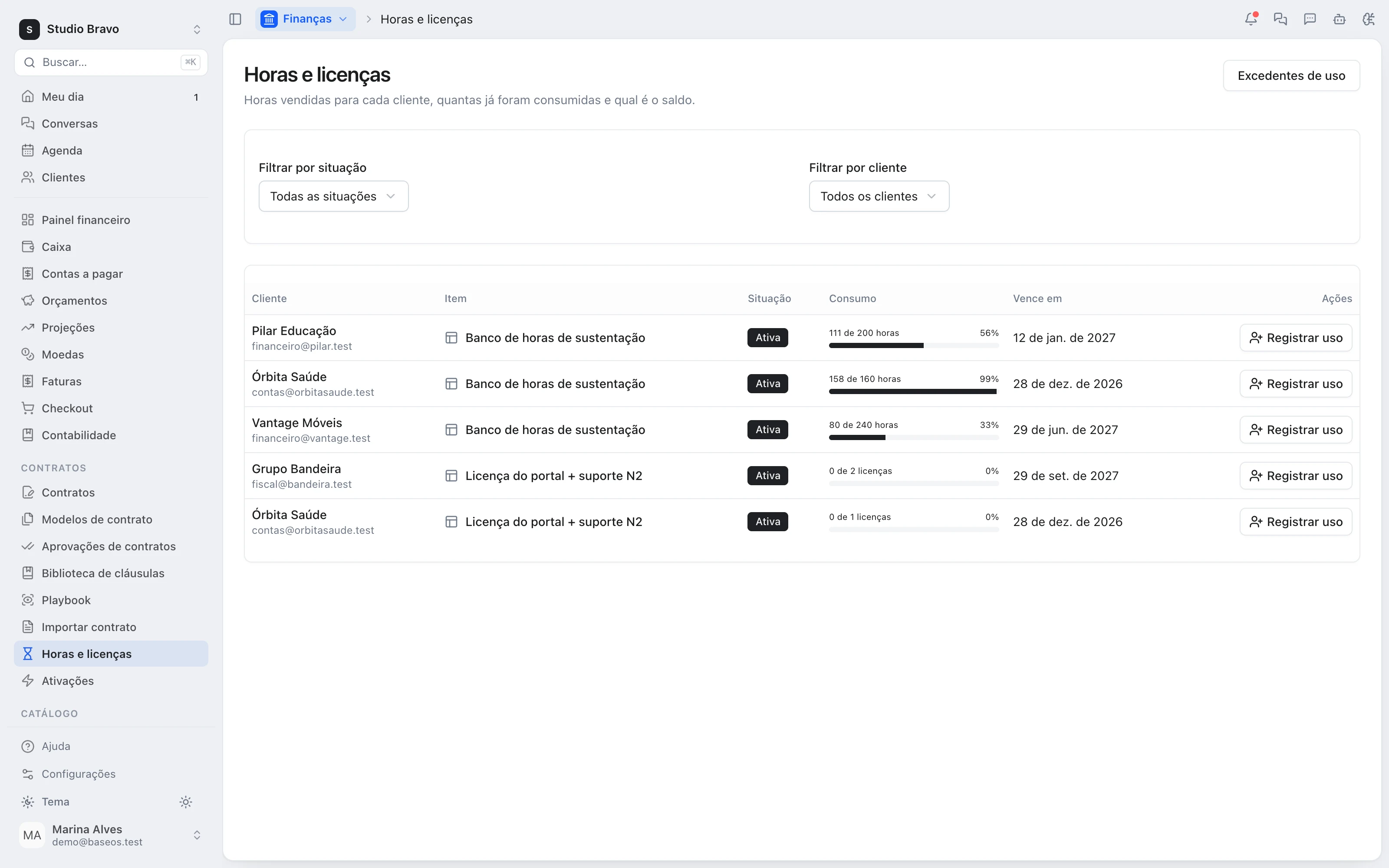
A catalog hours item sold on a contract becomes the client's bank when the contract is activated. It can also come from an accepted proposal or a paid invoice. If the line needs approval, the bank waits for someone to release it.
- From the contract, the proposal or the invoice
- Quantity and validity from the sale
- Release with approval, when needed
2 · Usage
Tasks draw the bank down
Hours logged on the project's tasks come out of the client's bank. With more than one bank, you choose which one a task draws from. The balance is recomputed from the tasks, with no side ledger.
- Task hours, straight into the bank
- Pick the bank per task
- Balance recomputed from tasks
3 · Balance
How much is left, and until when
Each bank shows what's left, the weekly burn over the last 30 days and the date it should run out at that pace. The same view shows on the client's record and in the portal, where a bank over 80% used is highlighted.
- Balance and % used
- Weekly burn and projected run-out date
- The client sees the same number in the portal
4 · Overage
What went over is billed or waived
When usage passes the bank, the team gets an alert and the overage is left pending. Someone decides: invoice the extra hours at the item's price, or waive them — and the decision is recorded.
- An alert when the bank is exceeded
- Overage invoice linked to the contract
- Waivers recorded, with who decided
The same bank for whoever sells, delivers and bills
- From proposal to bankThe accepted proposal's hours become the project's bank, without anyone retyping the quantity.
- From bank to deliveryWhoever runs delivery sees which contract is close to running out while planning the week.
- From balance to clientThe client follows their own bank in the portal, next to tickets, invoices and contracts.
Modules you can switch on today
Read from the same catalog as the module store: if it's listed here, it's in the product.
- Contractsfrom R$58/month
- ContractsContracts as data: number, value, term and renewal terms, immutable versions and multi-party e-signature with an evidence certificate.
- Contract-to-cash billingOnce signed and in force, the contract generates its own invoices on schedule — and every invoice knows which contract it came from.
- Renewals & adjustmentsRenewal, IPCA/IGP-M adjustment, amendments and termination change billing and provisioning, with alerts before the notice deadline.
- Projects & Tasksfree plan available
- ProjectsProjects with scope, deadline, owners and the real accumulated cost.
- TasksTasks on a board or list, with logged hours drawn from the client's hour bank.
- DocumentsCollaborative documents inside the project, with no separate drive to keep in sync.
- Catalogfrom R$19/month
- ItemsOne catalog of services, products and subscriptions feeding quotes, contracts and invoices.
- Brazilian fiscal profilesPer-item fiscal profiles validated against Anexo VIII and copied onto invoice lines.
- Client price listsClient and CRM segment price lists, with priorities and validity dates.
Does it warn me before the bank runs out?
It shows you: a bank over 80% used is highlighted and each one carries its projected run-out date. The automatic alert to the team fires when usage goes past the bank.
Does the agent bill the overage on its own?
No. It shows the overage and the amount, and creating the invoice waits for your OK. The invoice starts as open and nothing is sent to the client until you decide.
Do leftover hours roll over to the next period?
If you want them to. On the catalog item, choose whether renewal extends the bank, starts a new one at zero or starts a new one carrying the leftover hours.
Which modules do I need?
Hour banks are in the Contracts Pro plan; the tasks that draw them down come from Projects, and the hours item from the Catalog.
Be the owner again.Not the integrator.
Start with the area that hurts most. In 14 days you'll know whether BaseOS stays — no card, and a free plan afterward.
14-day trial · No card · Then the free plan