
The whole campaign, in one request.
You describe the campaign; Julia builds the page, the form, the coupon e-mail and the PDF material — all as drafts. You approve what goes live.
14-day trial · No card · Then a free plan
Julia, Marketing: “Put together the workshop campaign: a page, a form and a 15% coupon for everyone who signs up.”
Done, all as drafts: the page with the form (name, e-mail and WhatsApp), the welcome e-mail with the coupon WORKSHOP15 and the flow that sends it on every sign-up. The workshop guide PDF is in the library. Shall I publish the page? Publish the workshop page with its form. Live at studiobravo.test/workshop, with the form active. The coupon flow is ready to switch on — approve that too?
Studio Bravo is a demo company. Made-up data.
Launching a campaign, before and after
The page waits for the designer, the form for the developer, and the e-mail for both.
The agent builds page, form and e-mail in one conversation, as drafts for you to review.
Whoever signs up gets the coupon whenever someone remembers to send it.
A flow sends the e-mail with the code on every sign-up, once you switch it on.
The PDF is made on the side and gets lost in a folder.
The PDF starts as a draft in the media library, with versions, until you approve it.
Promoting to your base means exporting a list and importing it elsewhere.
The segment comes from the CRM itself, and the campaign is ready for you to launch.
How it works
From idea to live campaign — the agent prepares every piece, and every step that reaches the public waits for your OK.
1 · Capture
Page and form as drafts
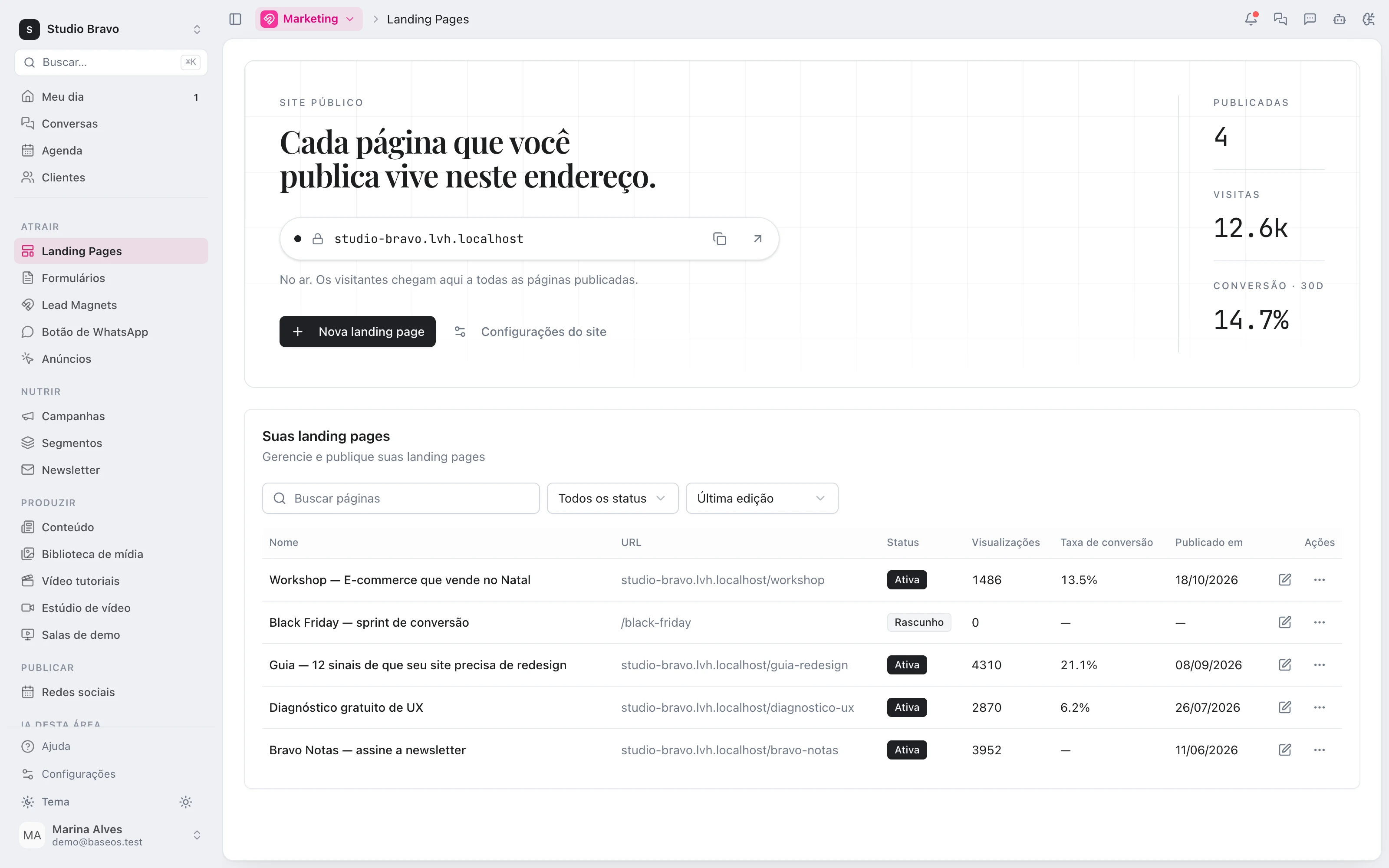
Julia creates the form with the fields the campaign needs and builds the landing page from sections, with the form embedded. Everything stays a draft in the visual editor.
- Fields mapped to the CRM lead
- Page on your subdomain or your own domain
- Edit any section before publishing
2 · Reward
The coupon e-mail, on every sign-up
The agent writes the e-mail with the coupon code and its terms, and drafts the flow that sends it whenever someone fills in the form.
- E-mail template personalised with the lead's name
- Flow triggered by the form submission
- Switched on only when you approve
3 · Material
The campaign PDF
Guide, checklist or e-book: the agent writes the content and generates the PDF in the media library, as a draft. Want changes? A new version of the same file.
- Cover and images from your library
- Versions in one file, no loose copies
- Goes to no one until you approve it
4 · Promotion
The right audience, ready to launch
To tell the people already in your CRM, Julia builds the segment and the campaign draft. Launching is your click — with each contact's consent respected at send time.
- Segment by field, tag or behaviour
- Contacts without consent are left out
- Launched manually or scheduled by you
A campaign that already talks to the rest of the base
- From sign-up to nurturingWhoever signs up becomes a lead and can move through a nurture flow until they are sales-ready.
- From lead to sellerEach sign-up lands in the CRM with its source tagged, and gets a score and an owner by your rules.
- The suite behind itPages, forms, lead magnets and newsletter, explained module by module.
Modules you can switch on today
Read from the same catalog as the module store: if it's listed here, it's in the product.
- Marketingfrom R$29/month
- Landing pagesLanding pages published in minutes in a visual editor, with no dev in the loop.
- FormsForms that land straight in the CRM as leads, source already tagged.
- NewsletterPublish editorial emails to a consented list and manage subscribers in the CRM.
- CRM & Salesfrom R$29/month
- PipelineA stage-by-stage sales funnel with forecast value and whatever has been stuck too long.
- LeadsA lead base with source, owner and the full history of every touch.
- CampaignsWhatsApp and email campaigns with an audience, a cadence and a result funnel.
- Media libraryfrom R$19/month
- LibraryA central library of images, video and files, with search and versions.
- Image generationGenerate images with AI straight into the library and use them on pages and campaigns.
Does the agent publish the page or send e-mails on its own?
No. It only creates drafts. Publishing the page and switching the flow on are your approvals, one by one, in the conversation or in the editors — and launching the campaign is yours too.
Does BaseOS create the coupon discount?
No. The coupon is the code in the e-mail, with the terms you set. The discount is applied wherever you already charge — your store, your checkout or your proposal.
Can I change what the agent built?
Yes. Page, form, e-mail and flow open in the usual editors, and you can ask Julia for changes in the same conversation.
Do I need a specific plan?
Pages and forms come with the marketing module. The e-mail flow and campaigns are part of the CRM from the Pro level, and the PDF uses the media library. You see what each level includes before you sign up.
Be the owner again.Not the integrator.
Start with the area that hurts most. In 14 days you'll know whether BaseOS stays — no card, and a free plan afterward.
14-day trial · No card · Then the free plan