
A newsletter that reaches only those who asked.
Confirmed subscribers who are already CRM contacts, and issues you narrow down by segment. Julia drafts the issue — scheduling and sending stay with your team.
14-day trial · No card · Then a free plan
Julia, Marketing: “Draft the November issue of Bravo Notes for our e-commerce clients only.”
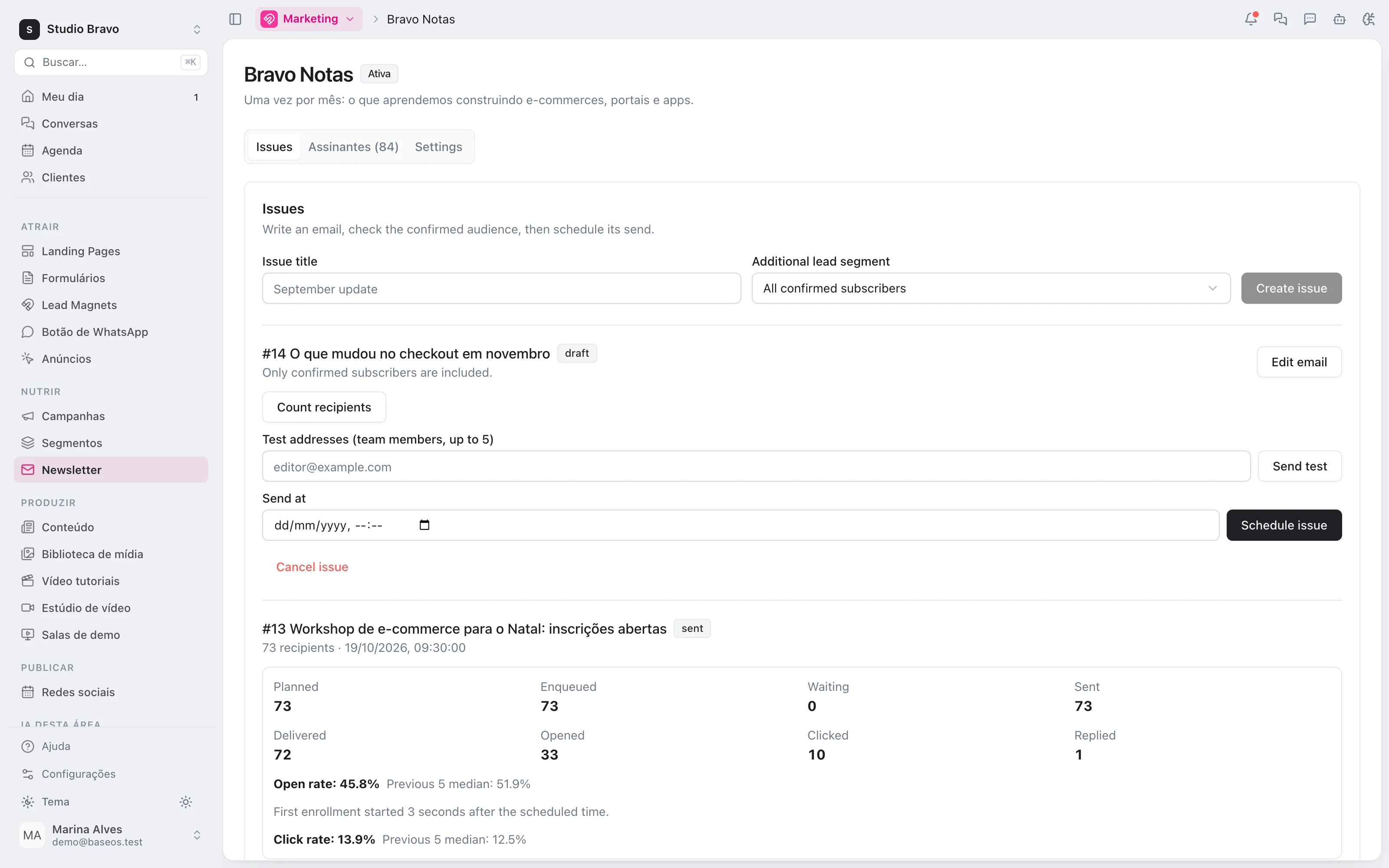
I created issue #14, “What changed in checkout in November”, restricted to the E-commerce clients segment: only confirmed subscribers who are in that segment get it. The copy is already in the issue's template. Nothing is scheduled — review it, send yourself a test and schedule it on the newsletter screen.
Studio Bravo is a demo company. Made-up data.
The newsletter, before and after
The list lives in a separate tool, and subscribers never show up in the CRM.
Whoever confirms becomes a CRM contact, ready for a segment.
Mistyped addresses and sign-ups nobody asked for end up on the list.
A sign-up from your site only counts once it is confirmed by e-mail.
Everyone gets the same issue, whether it fits or not.
Each issue can go only to the subscribers in one segment.
A client with an open complaint gets a cheerful newsletter.
With the ticketing module, the send to them is held.
How it works
From sign-up to each issue's results — and nothing goes out until someone on the team schedules it.
1 · Sign-up
A list of people who really asked
Put the sign-up block on your pages. Whoever signs up gets a confirmation link valid for 48 hours and, once they confirm, joins the list and the CRM. Every e-mail carries the preferences page, where they can leave this list or all of them.
- Sign-up block for your pages
- Double opt-in by e-mail
- Confirmed subscribers become CRM contacts
2 · Issue
Write, test and schedule
Each issue gets a number, a subject and its own template in the e-mail editor. Before scheduling, you see how many people will receive it and send a test to up to five team members. Until sending starts, you can cancel it.
- Tests to up to 5 team members
- Recipient count before scheduling
- Cancel until sending starts
3 · Audience
Only for those who should get it
Only confirmed subscribers receive it — and, if you choose, only those who are also in a CRM segment. The audience is fixed when you schedule. Unsubscribes and the do-not-contact list block the send, and the recipient's local hours are respected.
- Confirmed subscribers only
- Narrowed by a CRM segment
- Up to 2 newsletters per person per week, by default
4 · Results
What each issue achieved
Per issue: delivered, opens, clicks and replies, with the open rate next to the median of the previous five. Per list: sign-ups and departures over the last 12 weeks and the health of the addresses, with invalid ones removed in one click.
- Opens compared with the previous 5 issues
- Sign-ups and departures over 12 weeks
- Removal of invalid addresses
A newsletter that already talks to the rest of the base
- From campaign page to listThe sign-up block goes on the same campaign page, and the confirmed subscriber is already in the CRM.
- From subscriber to nurturingA subscriber is a lead like any other: they can enter a nurture flow and earn a score.
- From open ticket to an issue that waitsSomeone with an open complaint in support doesn't get the issue in the middle of the problem.
Modules you can switch on today
Read from the same catalog as the module store: if it's listed here, it's in the product.
- Marketingfrom R$29/month
- Landing pagesLanding pages published in minutes in a visual editor, with no dev in the loop.
- FormsForms that land straight in the CRM as leads, source already tagged.
- NewsletterPublish editorial emails to a consented list and manage subscribers in the CRM.
- CRM & Salesfrom R$29/month
- PipelineA stage-by-stage sales funnel with forecast value and whatever has been stuck too long.
- LeadsA lead base with source, owner and the full history of every touch.
- CampaignsWhatsApp and email campaigns with an audience, a cadence and a result funnel.
Does the agent send the newsletter on its own?
No. Julia creates the issue as a draft and writes the copy into its template. Scheduling is up to a person on the team, on the newsletter screen — until then, nothing goes out.
What about people who want to leave the list?
Every e-mail carries a link to the preferences page, where they can leave this list or all of them. The unsubscribe applies at once, and leaving all lists keeps working even if you cancel the module.
What if many e-mails bounce or get marked as spam?
Switch on the list's protection and set the bounce and complaint limits. If they're crossed, the list's sends pause; after a break, a single test message decides whether they resume.
What do I need to subscribe to?
The newsletter is part of the Marketing Pro plan, with up to 20,000 sends a month. The segment cut comes with the CRM from Pro; the issue archive on your site needs pages and the CMS; holding sends for open complaints needs the ticketing module.
Be the owner again.Not the integrator.
Start with the area that hurts most. In 14 days you'll know whether BaseOS stays — no card, and a free plan afterward.
14-day trial · No card · Then the free plan