
Merged on GitHub, release note written.
On every merge into the main branch, Julia reads the pull request and writes the note in your users' language — or leaves it out if it's internal work. Everything stays a draft until you publish.
14-day trial · No card · Then a free plan
Julia, Marketing: “What did this week's merges leave in the changelog?”
Of the 9 merged pull requests, 3 change something users see: CSV export, a date filter and the login fix. They're in a single draft, in Portuguese and English. Shall I publish it? Publish version 2.4.0 to the changelog. Published. The other 6 were internal work and stayed out.
Studio Bravo is a demo company. Made-up data.
Release notes, before and after
Release notes get left for later — and later never comes.
The draft is born at merge time, while the change is still fresh.
The changelog becomes a list of commits only the team understands.
The agent writes what changed for the user, with no file names or internal jargon.
Refactors and dependency bumps fill up the list.
What users won't notice stays out of the changelog.
A badly written note goes live with nobody reviewing it.
Everything stays a draft. Publishing is a separate step, yours.
How it works
From merge to published note — the tedious part is automatic, the decision stays with you.
1 · Connect
Connect GitHub and choose who writes
Connect the repository through the GitHub app in your integrations and subscribe the marketing agent to the merged pull request event. Only merges into the main branch count: what lands on a feature branch hasn't shipped yet.
- The GitHub app in your integrations
- The agent you choose responds to the event
- Only merges into the main branch
2 · Triage
The agent decides whether users will notice
Title, description, commits and changed files come with the event. A new feature, a visible improvement or a fix someone noticed becomes an entry; refactors, dependencies and CI stay out.
- Judged from the user's point of view
- When in doubt, it stays out
- Merges on the same topic go into the same draft
3 · Draft
Written for users, in your languages
A short title and a few lines on what changed, in one translation for each language you publish in. You edit it, add labels and the version number.
- One translation per language
- Labels and version number
- Always saved as a draft
4 · Publish
Live when you say so
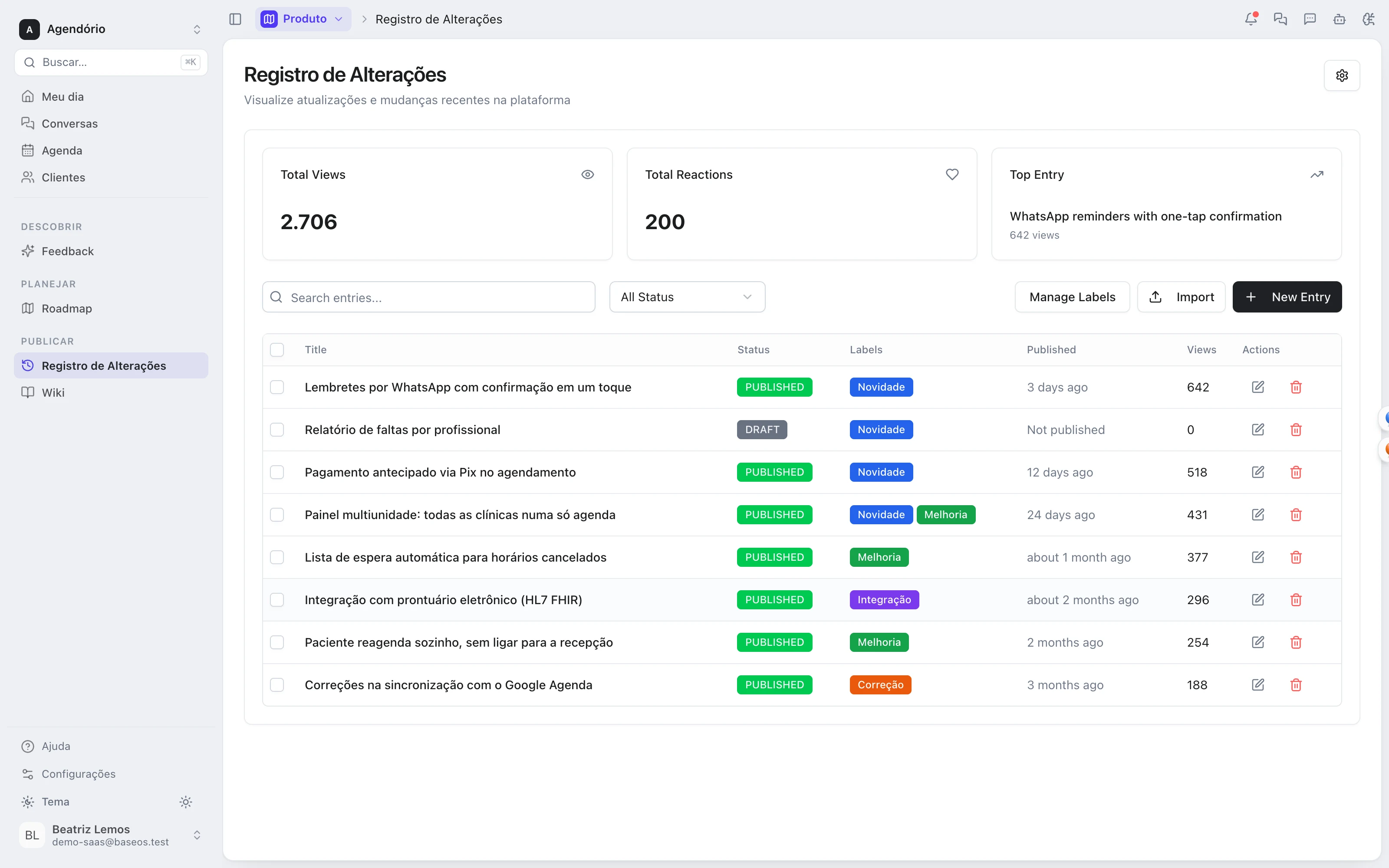
Publish right away or set a date. The changelog goes into your site or app by iframe, with search, label filters and user reactions.
- Publish now or on a set date
- Search and label filters
- User reactions on every entry
The changelog, wired to the whole product
- From roadmap to changelogWhat users voted for on the roadmap gets its release note on the same base when it ships.
- From the agent's pull request to the noteThe pull requests the development agent opens and you merge go through the same flow.
- From the note to the help centerThe announced feature gets an article and a tutorial in the wiki support answers from.
Modules you can switch on today
Read from the same catalog as the module store: if it's listed here, it's in the product.
- Roadmap, Changelog & Wikifree plan available
- RoadmapA public product roadmap showing what is in flight and what comes next.
- ChangelogA release changelog to announce every delivery to your users.
- WikiA knowledge base and documentation, internal or public.
Does the agent publish on her own?
No. When she responds to a merge, she only writes the draft and stops. Publishing is a separate step that waits for your OK — in the chat with her or on the changelog screen.
Does it work with GitLab or Bitbucket?
Today, only with GitHub. Without GitHub, you can still write notes on the changelog screen or ask the agent for a draft in the chat.
I already have a changelog elsewhere. Do I start from scratch?
No. You can import the old entries from a CSV or from text.
What does it cost?
The public changelog is on the product module's free plan. Paid plans remove the BaseOS badge and add the wiki.
Be the owner again.Not the integrator.
Start with the area that hurts most. In 14 days you'll know whether BaseOS stays — no card, and a free plan afterward.
14-day trial · No card · Then the free plan