
What's coming next, voted on by the people who use it.
Show what's being built and what comes after, inside your app. Your users suggest and vote; Sara brings to the roadmap what they ask for on tickets — and asks before publishing.
14-day trial · No card · Then a free plan
Sara, Support: “Which features did customers ask for this month?”
Three customers asked for CSV export, on different tickets. I created the request on the roadmap, still private, with each one's context. Shall I publish it for voting? Approve “CSV export” and publish it on the roadmap. Published in the Planned column. Users can now vote and comment.
Studio Bravo is a demo company. Made-up data.
User requests, before and after
Requests get lost between tickets, emails and sales calls.
Every request becomes a roadmap item, with the votes of everyone who wants the same.
The same idea shows up five times, under five names.
Duplicates are merged into one, and the votes come along.
The customer asks support whether the feature is coming.
They see which column it's in on the roadmap and follow it without asking.
Any suggestion goes public the moment it's sent.
With moderation on, a suggestion only joins the board once someone on the team approves it.
How it works
From the user's request to the shipped item — and you are still the one who decides what goes in.
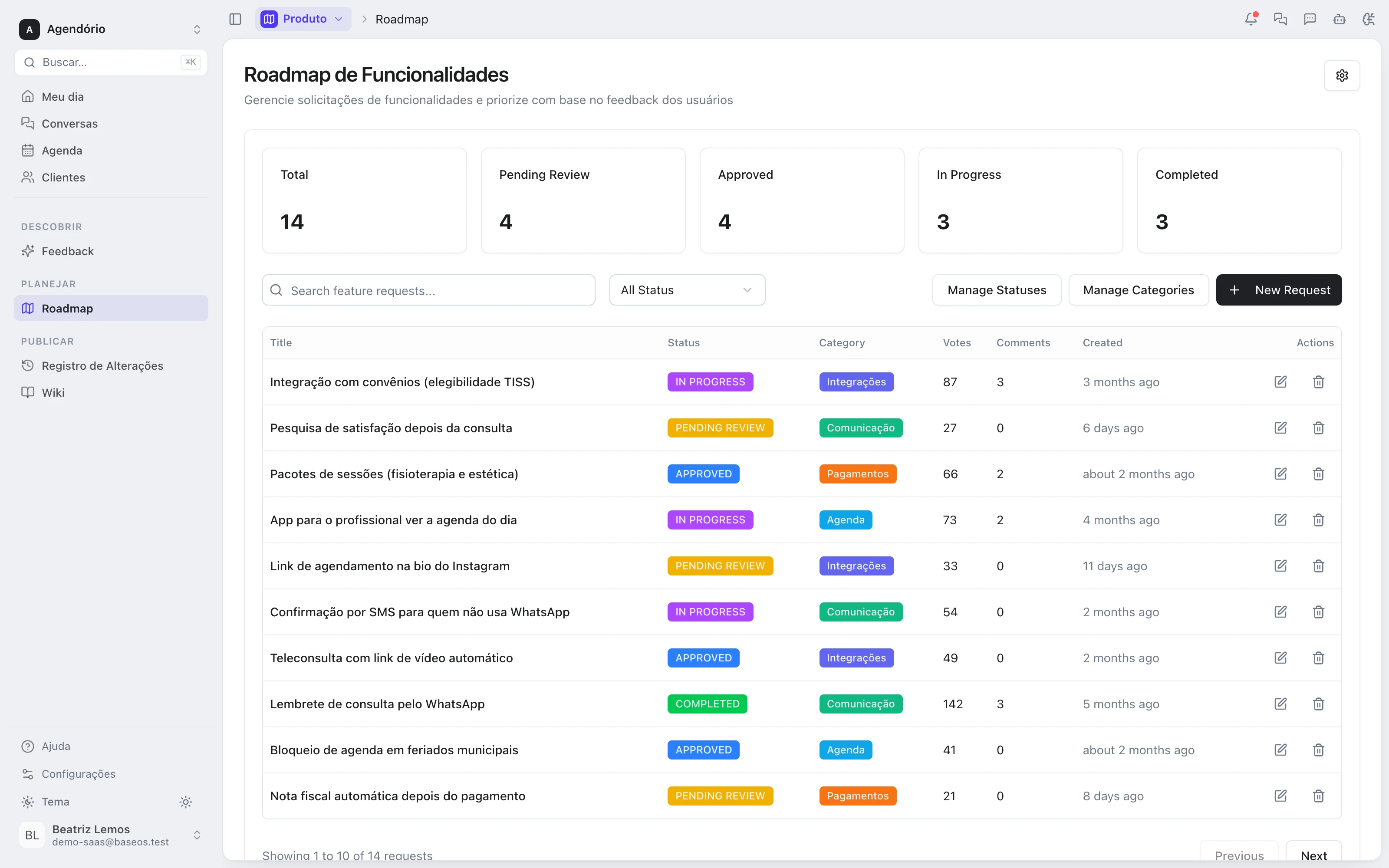
1 · Board
A roadmap inside your app
You define the columns and categories, and the board goes into your site or app by iframe, in your colors. Only what you approved shows in public.
- Columns and colors you define
- Categories to organize items
- No BaseOS badge on paid plans
2 · Users
They comment, suggest and vote
Users comment on every item. On plans with voting, they also suggest new ideas and vote — one vote per person, so the ranking says what many people want.
- Comments on every item
- Suggestions with optional moderation
- One vote per person on each item
3 · Support
What comes in on tickets becomes a request
When a customer asks for something the product doesn't do, Sara creates the request on the roadmap, still private. If an identical one exists, she proposes merging them — and waits for your OK.
- Request created as private
- Checks for duplicates before creating
- Merging and publishing need your approval
4 · Decision
Votes inform, you decide
Each item moves through approved, in progress, shipped or declined. Declined items leave the public board, and the team talks in internal comments users don't see.
- Status from request to shipped
- Internal team comments
- Declined items leave the public board
The roadmap, wired to support and to releases
- From ticket to roadmapThe request a customer makes to support reaches the roadmap through the agent, with the conversation's context.
- From roadmap to changelogWhen the item ships, the release note is written on the same base, from what was merged on GitHub.
- From roadmap to help centerThe shipped feature gets an article and a tutorial in the wiki the customer already reads.
Modules you can switch on today
Read from the same catalog as the module store: if it's listed here, it's in the product.
- Roadmap, Changelog & Wikifree plan available
- RoadmapA public product roadmap showing what is in flight and what comes next.
- ChangelogA release changelog to announce every delivery to your users.
- WikiA knowledge base and documentation, internal or public.
- Ticketsfree plan available
- Support portalA support portal where the client opens and follows their own tickets.
- SLAFirst-response and resolution deadlines, with an alert before they blow.
- Autonomous AI agentThe AI answers customers on its own when the reply rests on verified sources, and hands the ticket to a person when it does not.
Is the roadmap free?
Yes, the public roadmap is on the free plan, with comments. Voting and idea suggestions come with the top plan of the product module.
Will the agent publish items on the roadmap without me seeing?
No. She creates the request as private. Approving — which is what makes it public and votable — and merging requests always wait for your OK.
Can I hide suggestions until I review them?
Yes. With moderation on, which is the default, a user's suggestion stays private until someone on the team approves it. You can also turn suggestions off.
Do I need a website to show the roadmap?
You don't need a new one: the roadmap goes into your existing app or site by iframe, in your colors.
Be the owner again.Not the integrator.
Start with the area that hurts most. In 14 days you'll know whether BaseOS stays — no card, and a free plan afterward.
14-day trial · No card · Then the free plan