
New client, a first week without improvising.
When the lead becomes a client, the welcome e-mail goes out, the team is told to schedule the kickoff and, a week later, someone checks in. Marco builds the project from your template — and asks first.
14-day trial · No card · Then a free plan
Marco, Projects: “Trilha Ventures signed. Can you set up the onboarding project?”
I found the “Client onboarding” template, with 9 tasks, starting with the kickoff. Shall I create the project “Onboarding — Trilha Ventures” from it, starting Monday? Create the project “Onboarding — Trilha Ventures” from the template. Created with the template's 9 tasks, linked to Trilha Ventures. Nobody has been notified yet — assign the tasks whenever you're ready.
Studio Bravo is a demo company. Made-up data.
A client's first weeks, before and after
The deal closes and the client goes days without hearing from anyone.
Once they become a client, they get your welcome e-mail, and the team is told to schedule the kickoff.
Every manager builds the project from scratch, however they remember it.
The project starts from your template, with the same tasks for every client.
The client's access is a shared password in an old e-mail.
Each contact gets their own portal invitation and sets their own password.
A week later, nobody remembers to ask how it's going.
The flow waits seven days, sends the check-in and the agent sums up what got stuck.
How it works
A flow ready to start from, a project born from your template and the client inside the portal.
1 · Welcome
A ready-made flow, with your e-mails
Start from the “Client onboarding” flow template: when the lead is marked as converted, the welcome e-mail goes out and the team gets a notice to schedule the kickoff. It starts as a draft — you write the e-mails and publish.
- Triggered when the lead becomes a client
- A notice for the team to schedule the kickoff
- Nothing goes out before you publish
2 · Project
The project starts already set up
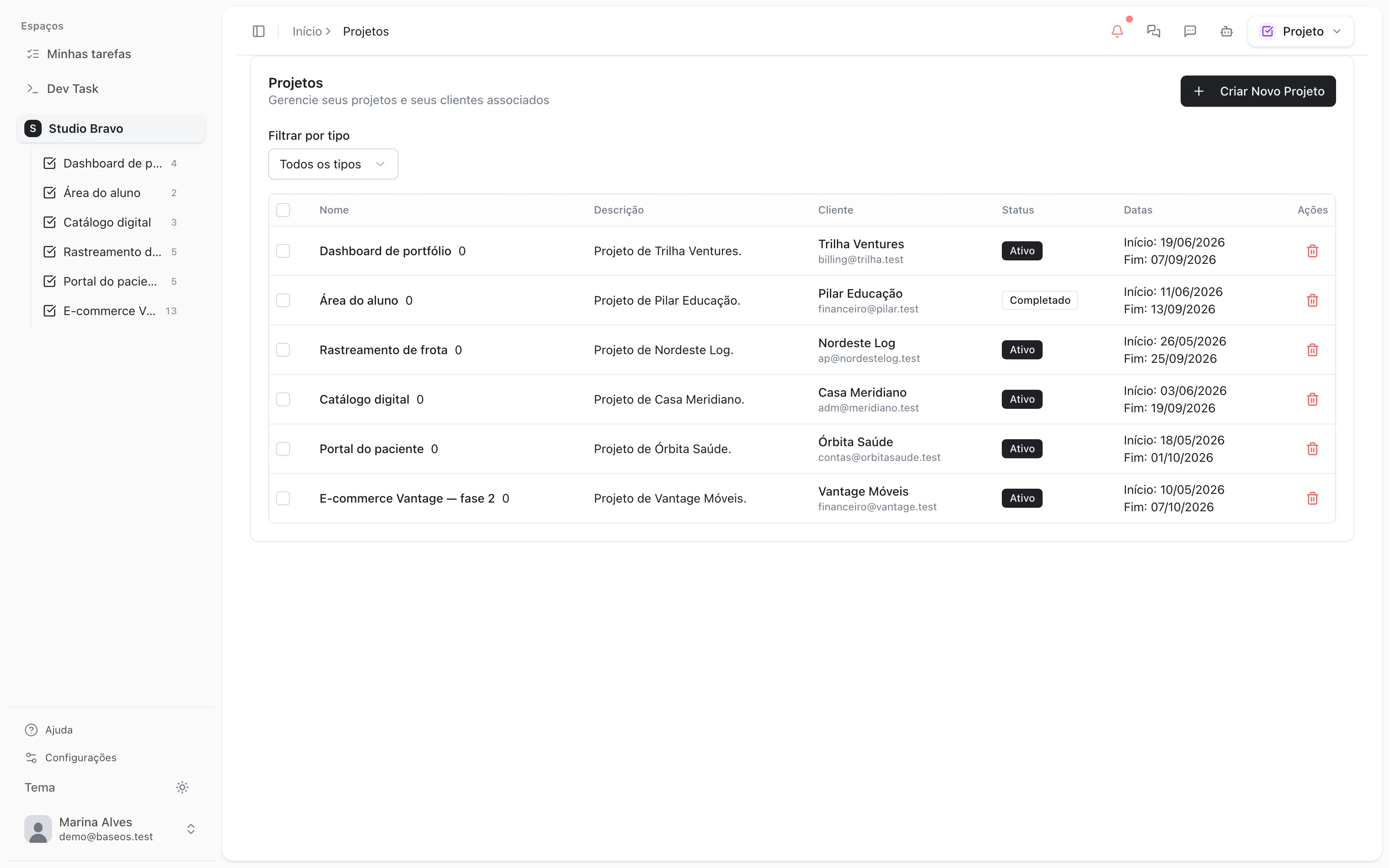
Save your onboarding as a project template, with tasks in your usual order and estimated hours. Every new client starts from it, and Marco creates the project when you ask and confirm.
- Project templates with tasks and estimates
- The same sequence for every client
- The agent creates it, after your OK
3 · Portal
The client comes in through their own door
Invite the client's contacts to the portal: each one gets an e-mail invitation, valid for seven days, and sets their own password. There they follow projects, tickets, invoices and contracts.
- One invitation per contact
- Password set by the contact
- Projects, tickets and invoices in one place
4 · Check-in
A week later, someone asks
Seven days after the welcome, the flow sends the check-in e-mail. Then the sales agent sums up how the onboarding is going and points out what's stuck.
- Automatic check-in after seven days
- An onboarding summary from the agent
- What got stuck, pointed out
Onboarding between selling and delivering
- From proposal to clientThe client you're welcoming is the same one who accepted the proposal by link.
- The client portalEverything the client sees after the invitation: projects, tickets, invoices and contracts.
- The contract's hoursIf the client bought an hour bank, the project's tasks draw it down from day one.
Modules you can switch on today
Read from the same catalog as the module store: if it's listed here, it's in the product.
- CRM & Salesfrom R$29/month
- PipelineA stage-by-stage sales funnel with forecast value and whatever has been stuck too long.
- LeadsA lead base with source, owner and the full history of every touch.
- CampaignsWhatsApp and email campaigns with an audience, a cadence and a result funnel.
- Projects & Tasksfree plan available
- ProjectsProjects with scope, deadline, owners and the real accumulated cost.
- TasksTasks on a board or list, with logged hours drawn from the client's hour bank.
- DocumentsCollaborative documents inside the project, with no separate drive to keep in sync.
Does the flow create the project on its own?
No. The flow handles the welcome, the kickoff notice and the check-in. You create the project from the template, or ask Marco — and he waits for your OK.
Do the e-mails come with ready-made text?
No: the flow starts as a draft and the e-mails are yours. You write the welcome and the check-in, review and publish. Until you publish, nothing is sent.
Can I change the flow's steps?
Yes. The template is a starting point in the flow editor: change the check-in delay, add a WhatsApp message or drop the agent's summary.
Which plans do I need?
Automated flows are in the CRM from the Pro plan, and project templates in the Projects Pro plan. Portal invitations don't depend on a plan.
Be the owner again.Not the integrator.
Start with the area that hurts most. In 14 days you'll know whether BaseOS stays — no card, and a free plan afterward.
14-day trial · No card · Then the free plan