
Leads that went cold, with a second chance.
Julia picks out the leads lost months ago and drafts the reactivation flow and the campaign. One message, only to people who agreed — and whoever replies goes back to the team.
14-day trial · No card · Then a free plan
Julia, Marketing: “I want to reactivate the leads we lost more than 90 days ago.”
There are 84 leads lost or unqualified more than 90 days ago; 31 have a WhatsApp opt-in, and only they can receive it. I drafted the segment, the flow with the approved "retomada" template and the campaign that enrolls the segment. Shall I publish the flow? Publish the reactivation flow. Published. The campaign with the 31 contacts is a draft under Campaigns — launching it is up to you.
Studio Bravo is a demo company. Made-up data.
Your cold leads, before and after
Hundreds of lost leads sitting in the CRM, unseen.
A segment picks out who went cold months ago, with a count before any send.
A mass message to everyone, including people who never agreed to it.
Only contacts with a recorded WhatsApp opt-in receive it, and only with a Meta-approved template.
Whoever replies gets lost in a conversation nobody follows.
A reply moves the lead back to contacted and the team is alerted.
People who don't reply keep getting attempts.
With no reply in five days, the sequence ends. No chasing.
How it works
From segment to reply — the agent drafts, and publishing and launching stay with you.
1 · Segment
Who went cold, and can be contacted
Julia builds a segment of leads lost or unqualified, created more than 90 days ago and with WhatsApp consent. You see how many there are before you decide.
- Filter by status, date, tag or owner
- Consent is part of the filter
- Segment recalculated on its own
2 · Contact
One message, the right way
The reactivation flow sends a Meta-approved template and waits five days for a reply. Anyone without an opt-in is skipped, never contacted.
- Official Meta API
- Approved marketing template
- Recipient's hours and limits respected
3 · Reply
Whoever replies goes back to the team
A reply moves the lead to contacted and alerts the team; the conversation stays in the inbox with the lead's history. Anyone asking to stop is unsubscribed at once.
- Status updated automatically
- Conversation in the team inbox
- STOP or UNSUBSCRIBE opts out
4 · Results
A measured campaign
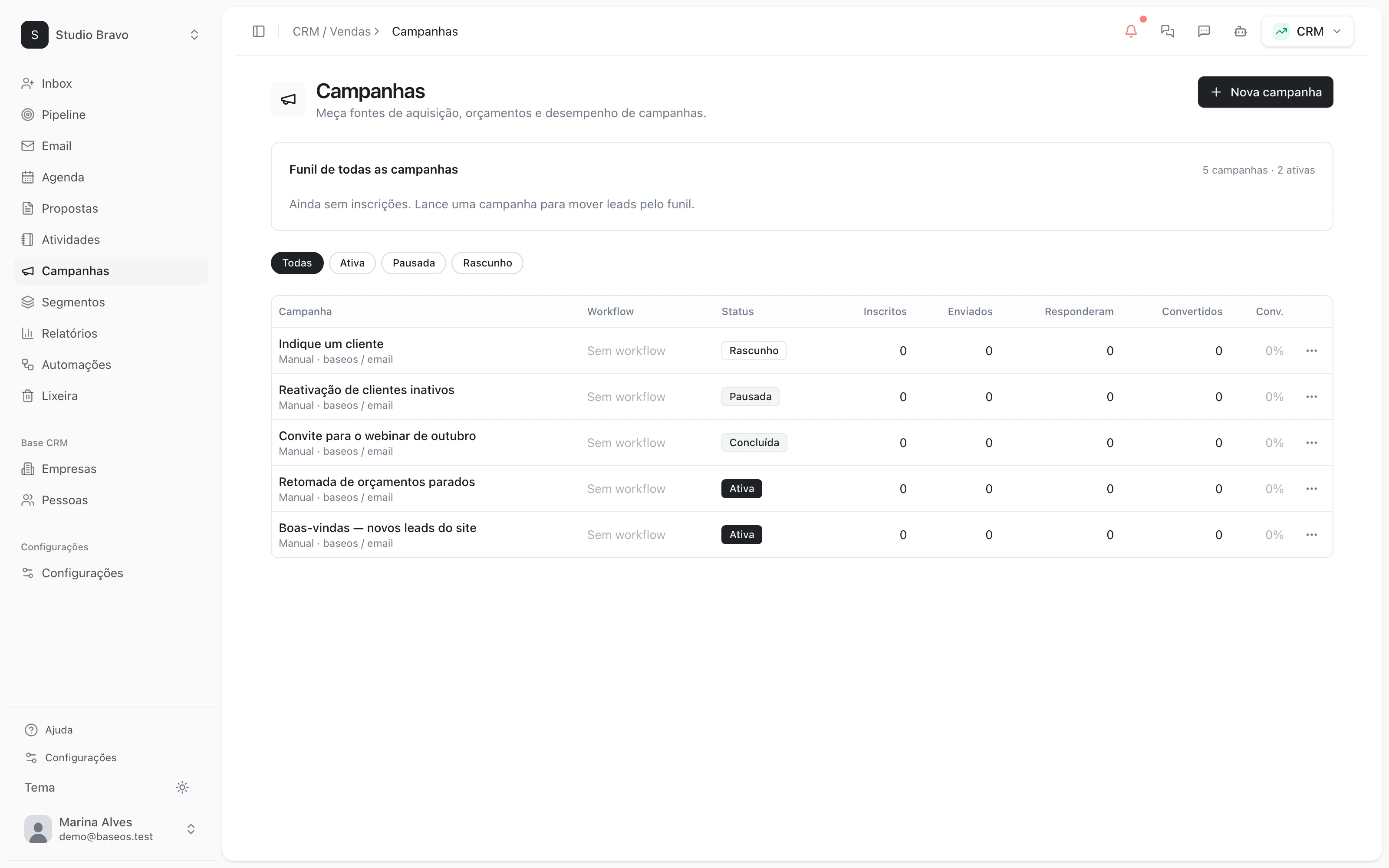
The campaign enrolls the segment into the flow when you launch it, or on the date you schedule. Enrolled, sent, replies and conversions show on the campaign list.
- Manual or scheduled launch
- Contacts without consent are left out
- A reply as the conversion goal
Reactivation that already talks to the rest of the base
- From prospecting to a second chanceLeads that didn't answer prospecting are marked unqualified — and can come back here months later.
- From reply to sellerThe lead who came back gets a score, an owner and the next step in the pipeline.
- From WhatsApp to the inboxA verified number, approved templates and conversations in the team inbox.
Modules you can switch on today
Read from the same catalog as the module store: if it's listed here, it's in the product.
- CRM & Salesfrom R$29/month
- PipelineA stage-by-stage sales funnel with forecast value and whatever has been stuck too long.
- LeadsA lead base with source, owner and the full history of every touch.
- CampaignsWhatsApp and email campaigns with an audience, a cadence and a result funnel.
- Omnichannel Inboxfrom R$49/month
- Connected channelsConnect your company's WhatsApp and Telegram and receive everything in one box, with the AI agent answering while you sleep.
- Shared inboxYour team works the same box: every conversation has an owner, internal notes the customer never sees, tags, quick replies and snooze.
- Official WhatsApp (Meta)Connect through Meta's official API, with a verified number and approved templates — the path that carries no ban risk.
Why only people who opted in?
Because marketing messages to people who never agreed are the fastest way to get the number blocked. A lead with no recorded opt-in is skipped, never contacted.
Does the agent launch the campaign on its own?
No. It drafts the segment, the flow and the campaign. Publishing the flow is your approval, and so is launching the campaign.
How many messages does a lead get?
One. With no reply in five days, the sequence ends. Your account's per-person message limit applies here too.
What do I need to subscribe to?
Flows and campaigns are part of the CRM from the Pro level, and WhatsApp needs a number on Meta's official API. You see what each level includes before you sign up.
Be the owner again.Not the integrator.
Start with the area that hurts most. In 14 days you'll know whether BaseOS stays — no card, and a free plan afterward.
14-day trial · No card · Then the free plan