
Leads you brought in, contacted without missing one.
Alex writes the first e-mail to every new lead, waits for the reply and carries the conversation. On WhatsApp, only Meta-approved templates and only to people who gave consent.
14-day trial · No card · Then a free plan
Alex, Sales: “I'm importing the trade show leads tomorrow. Get the e-mail prospecting ready.”
Ready: every new lead that didn't reach out to us first gets a short e-mail I write, with one qualifying question and no prices. I wait three days; whoever replies, I carry the conversation, and whoever doesn't is marked unqualified and the team is told. Shall I switch it on before the import? Switch on the e-mail prospecting sequence. On. Tomorrow's imported leads enter it and get the first e-mail within sending hours. Anyone on the do-not-contact list or who unsubscribed is left out.
Studio Bravo is a demo company. Made-up data.
Prospecting, before and after
The trade show spreadsheet sits there until someone has a free afternoon.
Every imported lead enters the sequence and gets the first contact.
The seller forgets the second and third touch.
The sequence waits for a reply, tries again and ends on its own.
Someone replies "STOP" and keeps getting messages.
The opt-out word is recorded and queued sends are cancelled.
A message at 11pm on a Sunday, to a contact who never agreed to it.
Sends respect the recipient's local hours, and WhatsApp only goes to people who opted in.
How it works
Two ready-made sequences — and consent rules checked at the moment of every send.
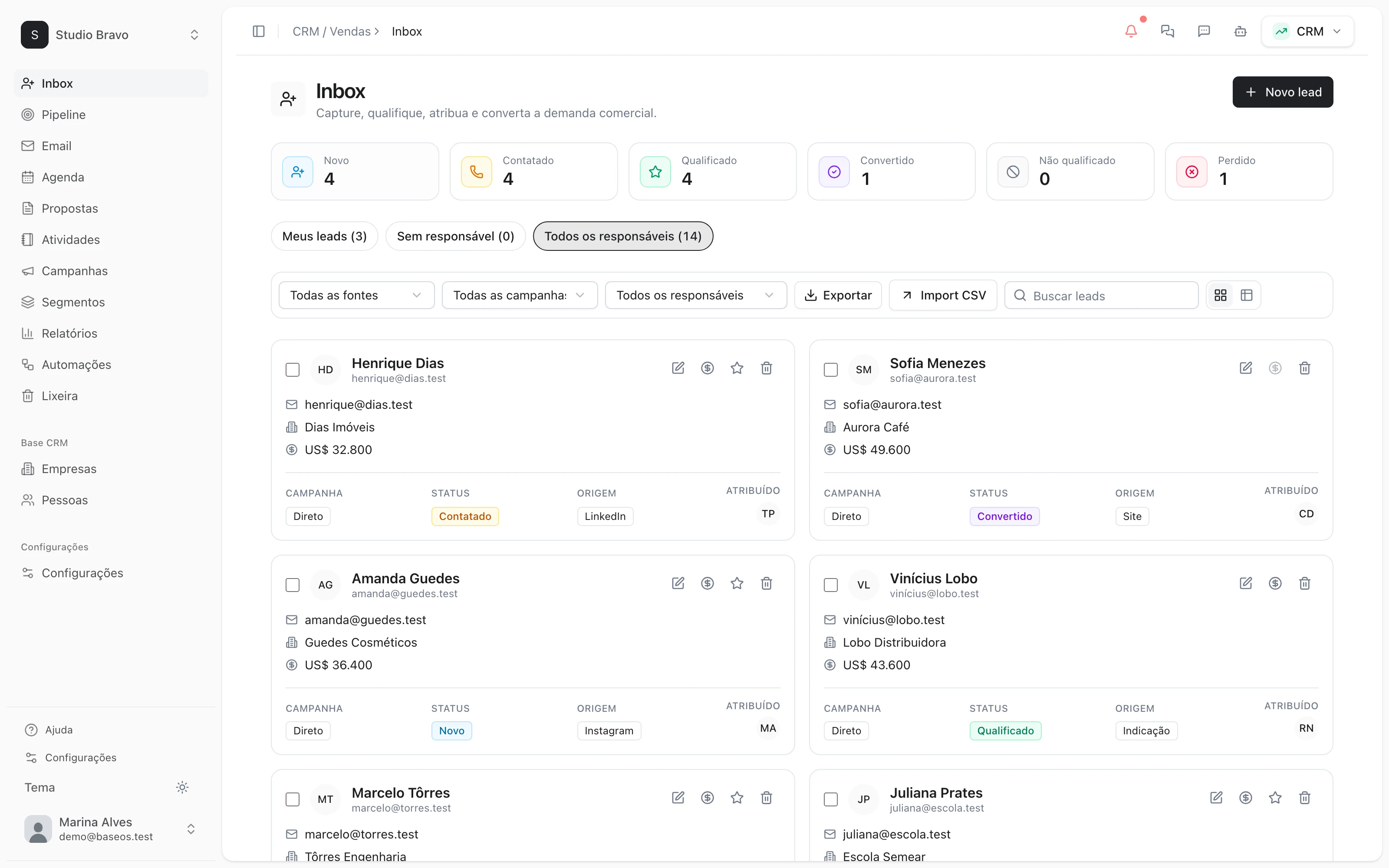
1 · E-mail
The first e-mail, written by the agent
Every new lead you brought in gets a short e-mail from Alex: who the company is, why it is writing and one qualifying question. With no reply in three days, the lead is marked unqualified and the team is told.
- One-click activation by an admin
- No prices in the first contact
- Requires a verified sending domain
2 · WhatsApp
Approved template, e-mail and a retry
The sequence opens with a Meta-approved template, waits, tries by e-mail and sends a second template. Anyone who answers no touch is marked unqualified.
- Official Meta API, never cold free-form text
- Only leads with a recorded opt-in
- Templates you pick in the editor
3 · Consent
Whoever says no, gets nothing
Every message is checked before it goes out: unsubscribes, the do-not-contact list, sending hours and a per-person message limit.
- STOP or UNSUBSCRIBE on WhatsApp opts out
- Do-not-contact list by e-mail or domain
- Hours and limits in the recipient's timezone
4 · Handoff
Whoever replies becomes a conversation
A reply ends the sequence and the sales agent carries the conversation on the same channel, with the lead's history. Converted, lost or ruled out, the lead leaves the sequence.
- Conversation in the team inbox
- History on the lead's timeline
- Status updated without a spreadsheet
Prospecting that already talks to the rest of the base
- From WhatsApp to the inboxA verified number, approved templates and conversations in the team inbox.
- From reply to proposalThe lead who replied becomes an opportunity and gets a visual proposal to approve online.
- From no to a second chanceLeads ruled out can come back months later through a WhatsApp reactivation.
Modules you can switch on today
Read from the same catalog as the module store: if it's listed here, it's in the product.
- CRM & Salesfrom R$29/month
- PipelineA stage-by-stage sales funnel with forecast value and whatever has been stuck too long.
- LeadsA lead base with source, owner and the full history of every touch.
- CampaignsWhatsApp and email campaigns with an audience, a cadence and a result funnel.
- Omnichannel Inboxfrom R$49/month
- Connected channelsConnect your company's WhatsApp and Telegram and receive everything in one box, with the AI agent answering while you sleep.
- Shared inboxYour team works the same box: every conversation has an owner, internal notes the customer never sees, tags, quick replies and snooze.
- Official WhatsApp (Meta)Connect through Meta's official API, with a verified number and approved templates — the path that carries no ban risk.
Does BaseOS find leads for me?
No. Prospecting works on the leads you bring: a spreadsheet import, the API or typed in by hand. People who came in through a form or a booking never get a cold e-mail.
Will the agent message people without me knowing?
Nothing goes out before the sequence is switched on, and switching it on is your decision. After that it follows the rules you approved: on WhatsApp, only the templates you picked; by e-mail, Alex writes within the sequence's instructions. Every send is logged.
Don't I risk getting blocked on WhatsApp?
The first touch is always a Meta-approved template over the official API, only to people with a recorded opt-in, and the attempts are spaced out. Free-form messages only after the lead replies.
Does every CRM plan include it?
No. The prospecting sequences are part of the CRM's most complete level. You see what each level includes before you sign up.
Be the owner again.Not the integrator.
Start with the area that hurts most. In 14 days you'll know whether BaseOS stays — no card, and a free plan afterward.
14-day trial · No card · Then the free plan